How to Customize a Suitable Capacitive Touch Screen
Capacitive touch screens are integral to modern devices—from smartphones and tablets to industrial control panels and automotive displays. Known for their high sensitivity, multi-touch capability, and durability, capacitive touch screens must be carefully selected and customized to match your application needs. Here's a practical guide to help you build the perfect capacitive touch screen solution.
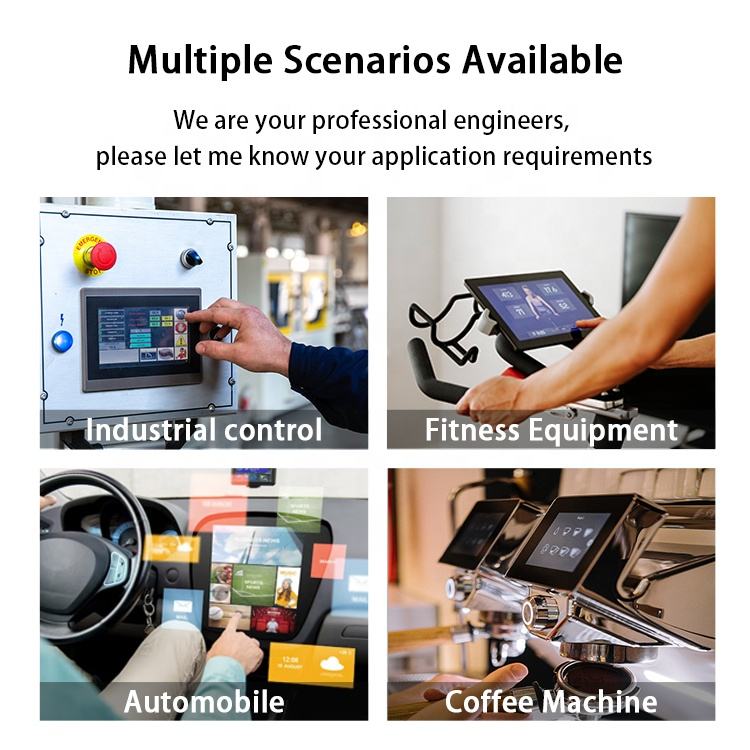
1. Define the Application
Your target application determines everything from touch technology to size and surface treatments:
-
Consumer Devices: Need high sensitivity and sleek design.
-
Industrial Equipment: Requires glove and water support, anti-glare coating, and rugged design.
-
Medical Devices: Often need antimicrobial surfaces and high brightness.
-
Automotive Displays: Must resist shock, vibration, and temperature extremes.
2. Choose the Ideal Size & Aspect Ratio
Pick a screen size based on mounting space and user interaction range. Standard ratios include:
-
16:9 – Best for multimedia
-
4:3 – Suited for control panels
-
Custom – For specialized enclosures
3. Select the Right Touch Sensor Type
Two major types of capacitive technologies include:
-
Surface Capacitive (SCT): Single-touch, budget-friendly
-
Projected Capacitive (PCAP/PCT): Supports multi-touch and gloves; best for industrial and mobile use
Mutual Capacitance vs. Self Capacitance
-
Mutual Capacitive: Ideal for multi-touch applications
-
Self Capacitive: Offers better sensitivity—great for wearables
4. Environmental Adaptability
Ensure the screen can withstand operational conditions:
-
Wide Temperature Ranges (-30°C to 85°C)
-
Waterproofing (IP65/IP67 rated)
-
Glove Touch and Stylus Support
5. Surface Treatment & Visual Quality
Optimize usability and clarity:
-
Anti-Glare / Anti-Reflection: For outdoor visibility
-
Anti-Fingerprint Coating: Keeps public touchpoints clean
-
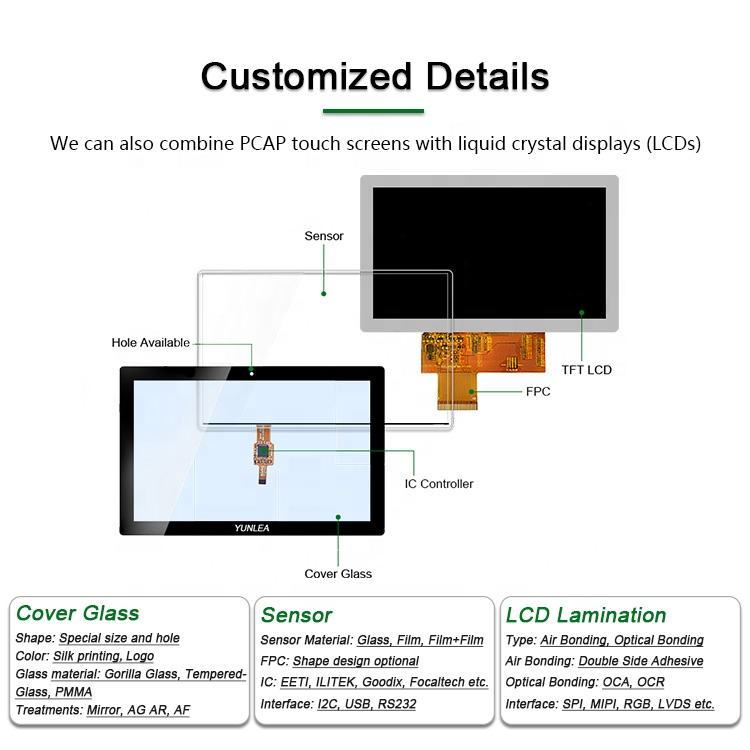
Glass Type: Choose between flat or curved cover lenses
6. Interface & System Integration
Ensure smooth integration with your hardware:
-
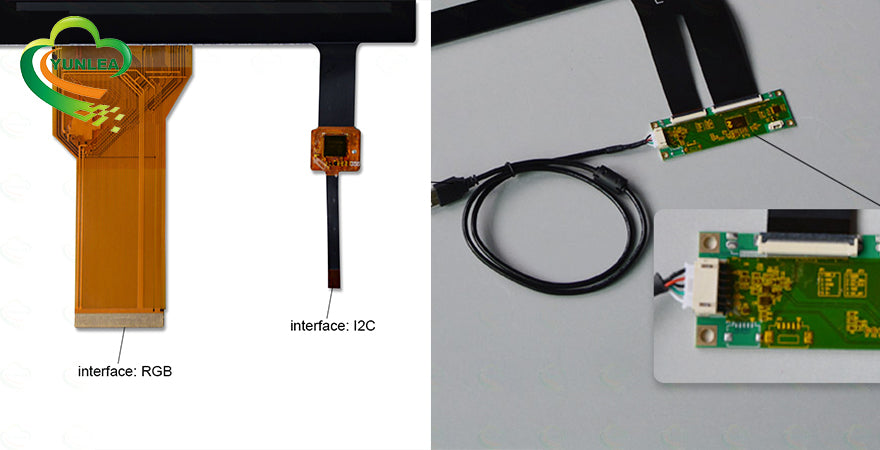
Interfaces: USB, I²C, SPI, UART
-
OS Compatibility: Linux, Android, Windows
-
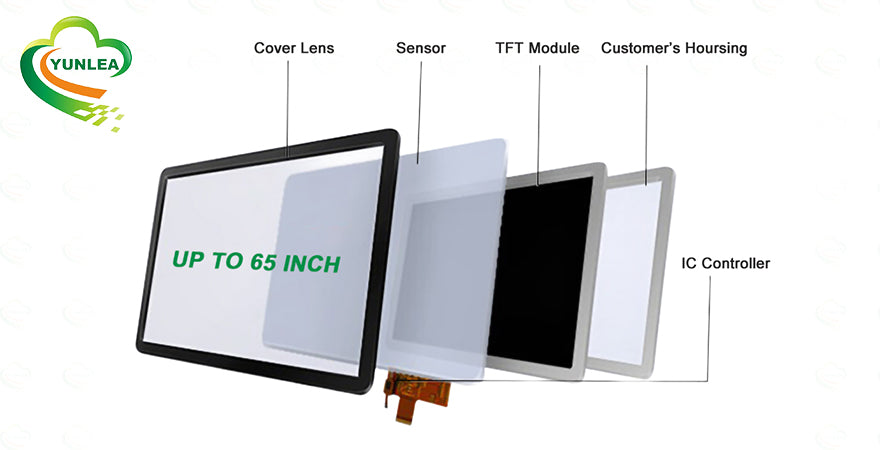
Controller ICs: EXC, EETI, ILITEK, or custom
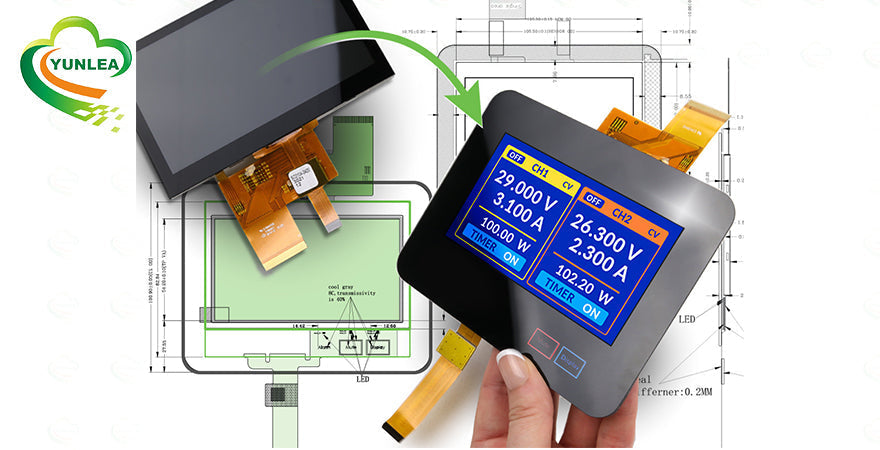
7. Advanced Customization Options
Yunlea supports a wide range of design modifications:
-
Glass Shape: Round, oval, or custom cutouts
-
Branding: Silk-screen logo or printed border
-
Value Additions: Force touch, haptic feedback, ambient light sensors
8. Testing & Certification
For commercial and industrial use, reliability is key:
-
EMC/EMI Compliance
-
Scratch & Impact Testing
-
Humidity, Altitude, and Salt Spray Testing
✉️ Ready to Build a Custom Solution?
Yunlea offers tailored capacitive touch screens to suit any project. From technical design to integration, we deliver reliable, cost-effective, and industry-grade solutions.
📩 Contact us at sales@yunlea.com for consultation, datasheets, and samples!